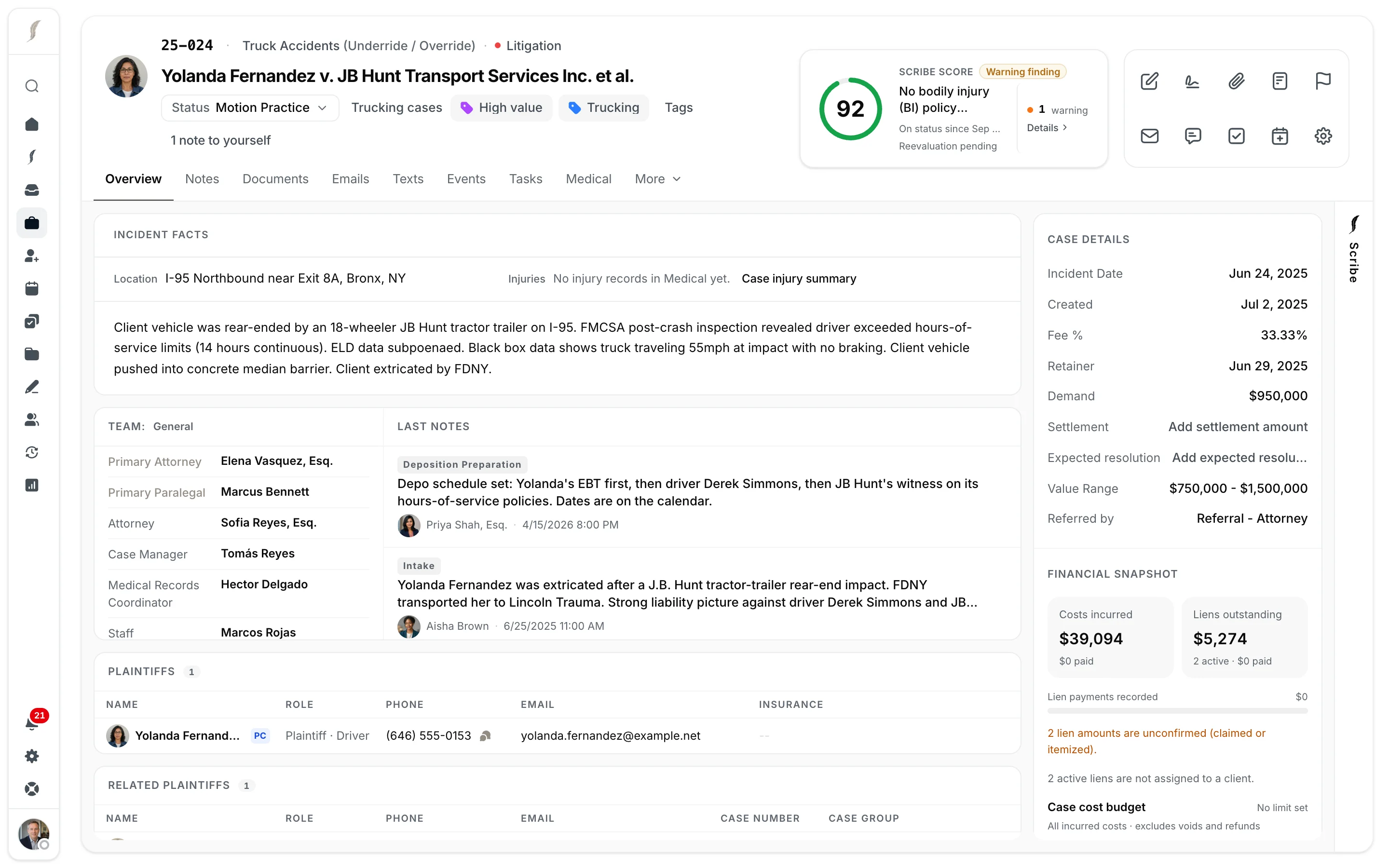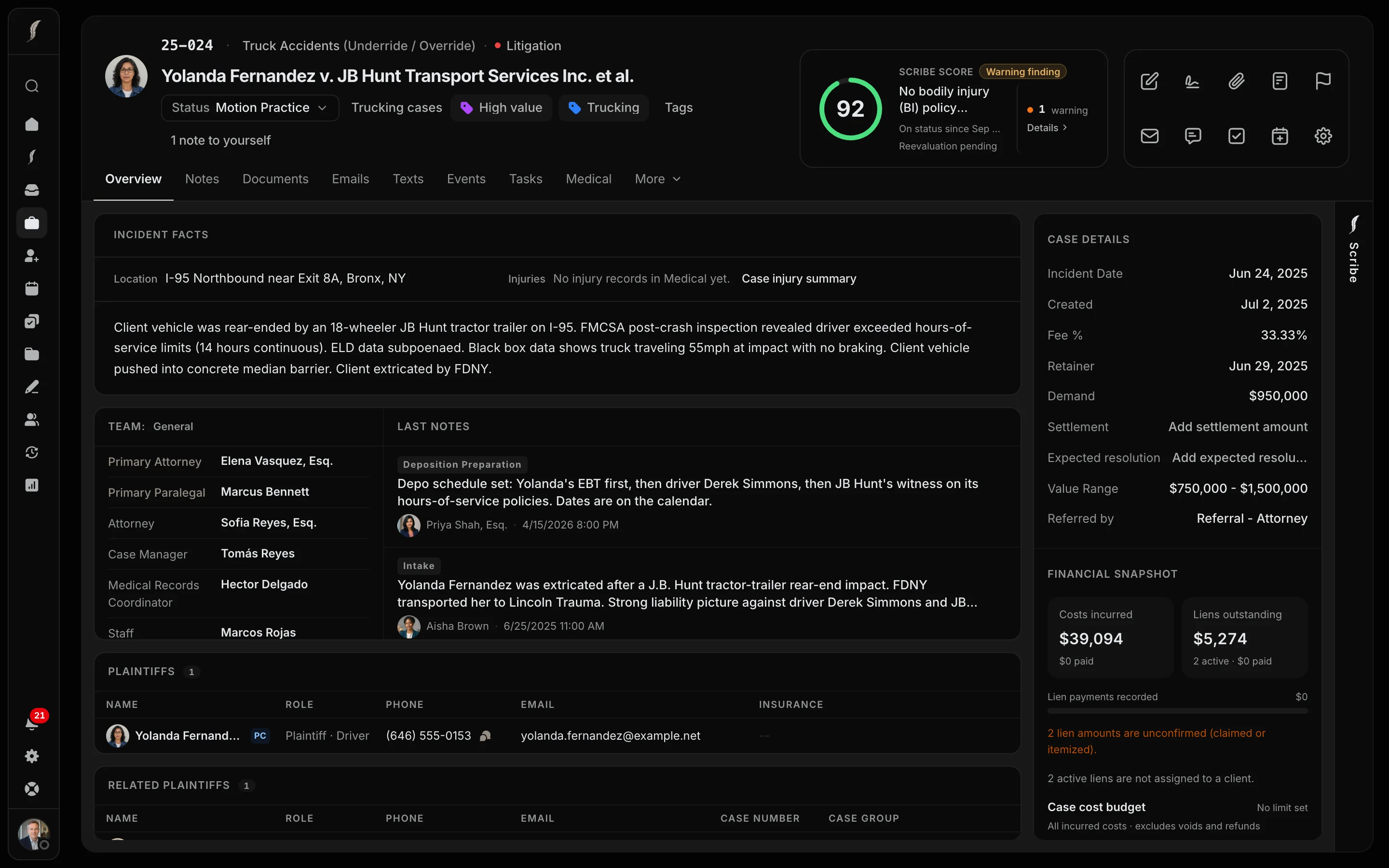

Your team’s work, connected to the case.

Build around your firm’s questions, forms, and methods. Keep documents, conversations, deadlines, and next steps together so your people can move cases forward.

The platform

Every step of a personal-injury case, on one current record.

01

Build intake around your firm’s questions.

Add your own sections and questions, and show a question only when an earlier answer calls for it. Scribe fills in the answers during the call. When one accident brings in several clients, each gets their own case, and a case group keeps the shared facts in one place.

  • One case group for every client from the same accident
  • Leads convert to cases without re-entry

Screening questions

2 required answers

Was the client wearing a seatbelt?*

YesNoUnknown

Required before opening the case

Vehicle that hit the client*

Select an answer

Required before opening the case

Did the client go to the ER within 24 hours?

YesNoUnknown

Has the client posted about the accident online?

YesNoUnknown
Stop dictation · 0:52Listening · Answers populate as you speak

02

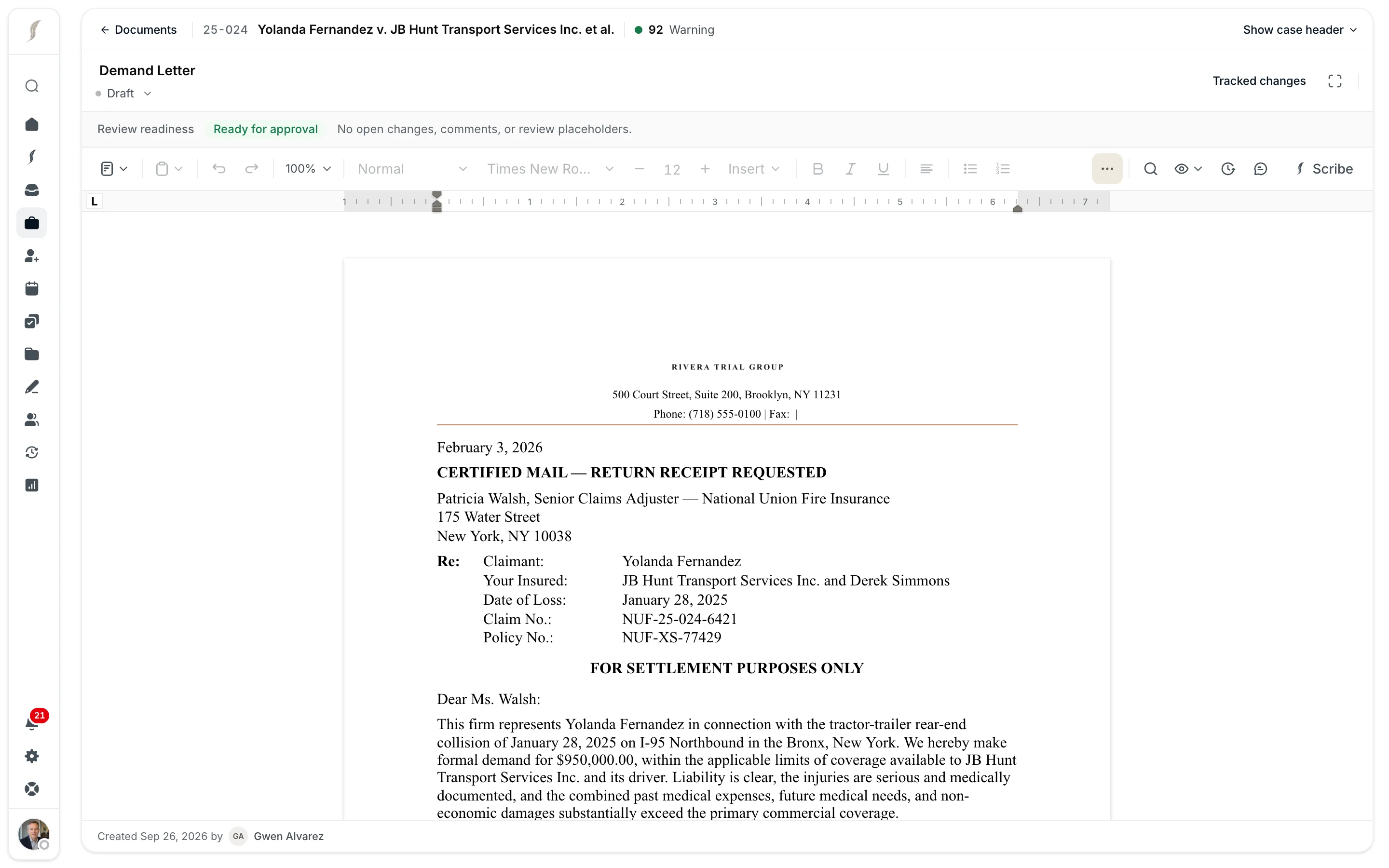
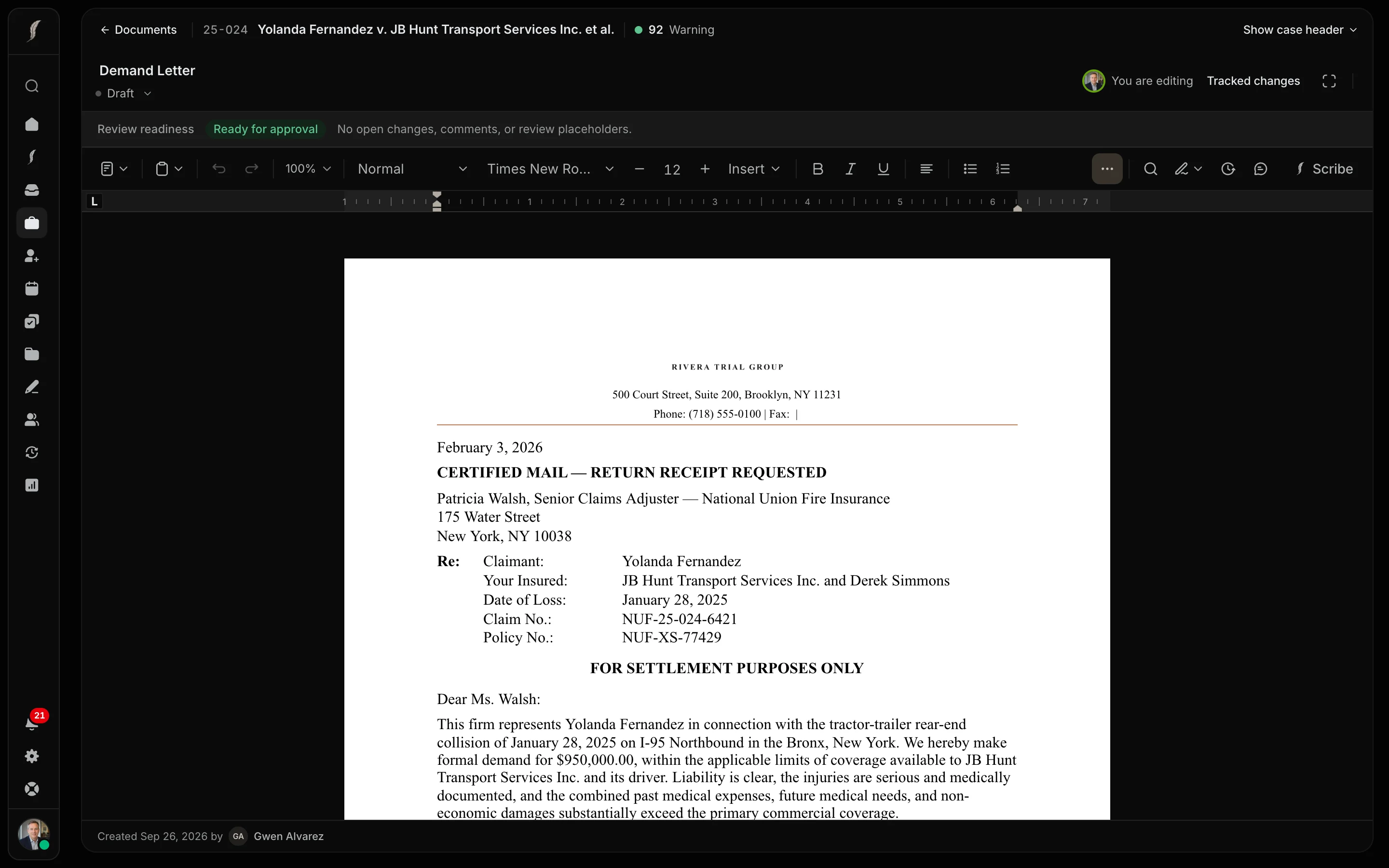
Draft from the case record.

Prepare demands, bills of particulars, discovery responses, correspondence, and other documents while the case information stays beside the draft. Ask Scribe for the first draft; it opens in the editor for your review.

  • Full DOCX editing in the browser
  • Firm forms and naming conventions built into the workflow

RIVERA TRIAL GROUP

500 Court Street, Suite 200, Brooklyn, NY 11231

February 3, 2026

CERTIFIED MAIL — RETURN RECEIPT REQUESTED

Patricia Walsh, Senior Claims Adjuster — National Union Fire Insurance
175 Water Street, New York, NY 10038

Re:

Claimant: Yolanda Fernandez

Your Insured: JB Hunt Transport Services Inc. and Derek Simmons

Date of Loss: January 28, 2025

Claim No.: NUF-25-024-6421 | Policy No.: NUF-XS-77429

FOR SETTLEMENT PURPOSES ONLY

Dear Ms. Walsh:

03

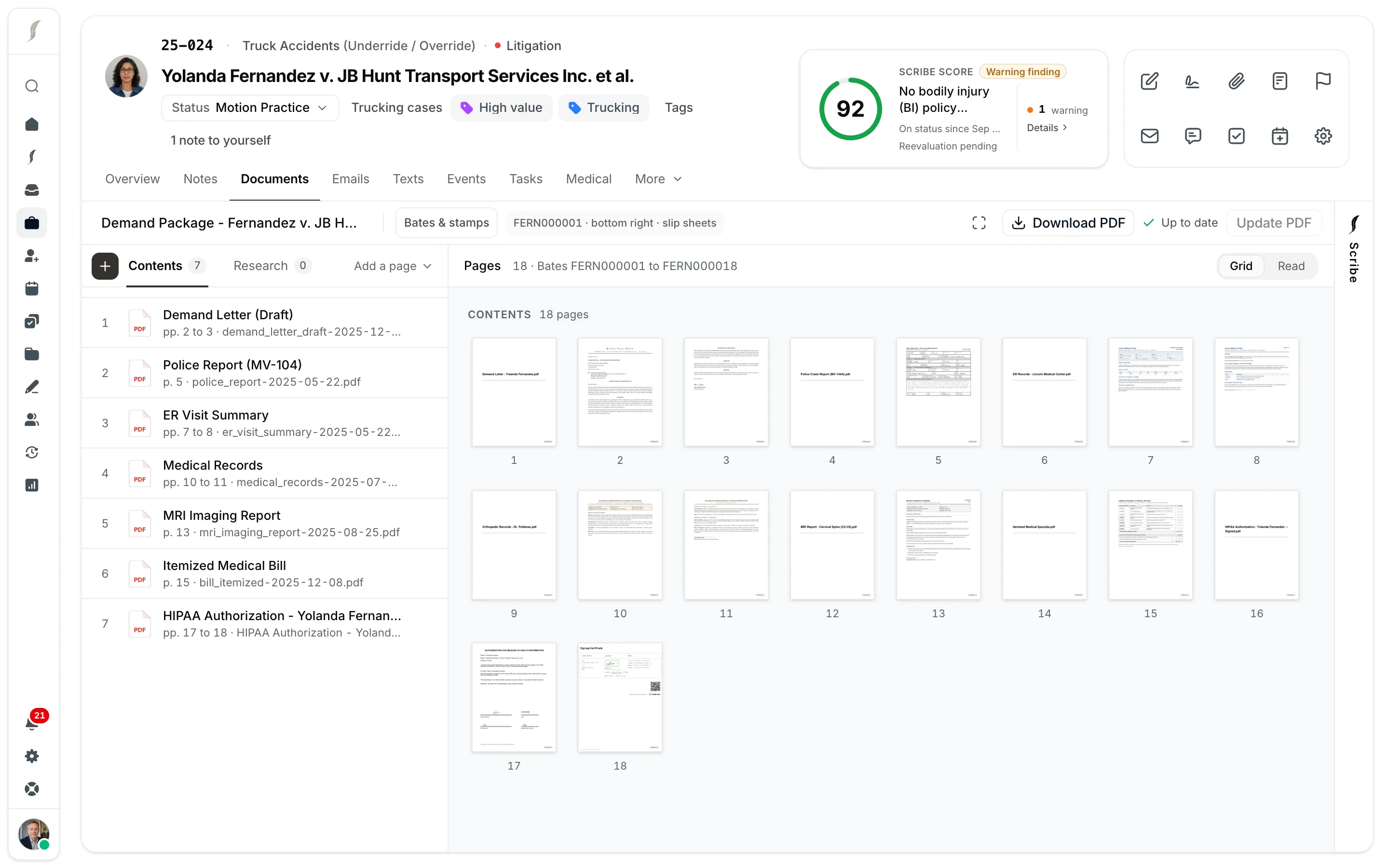
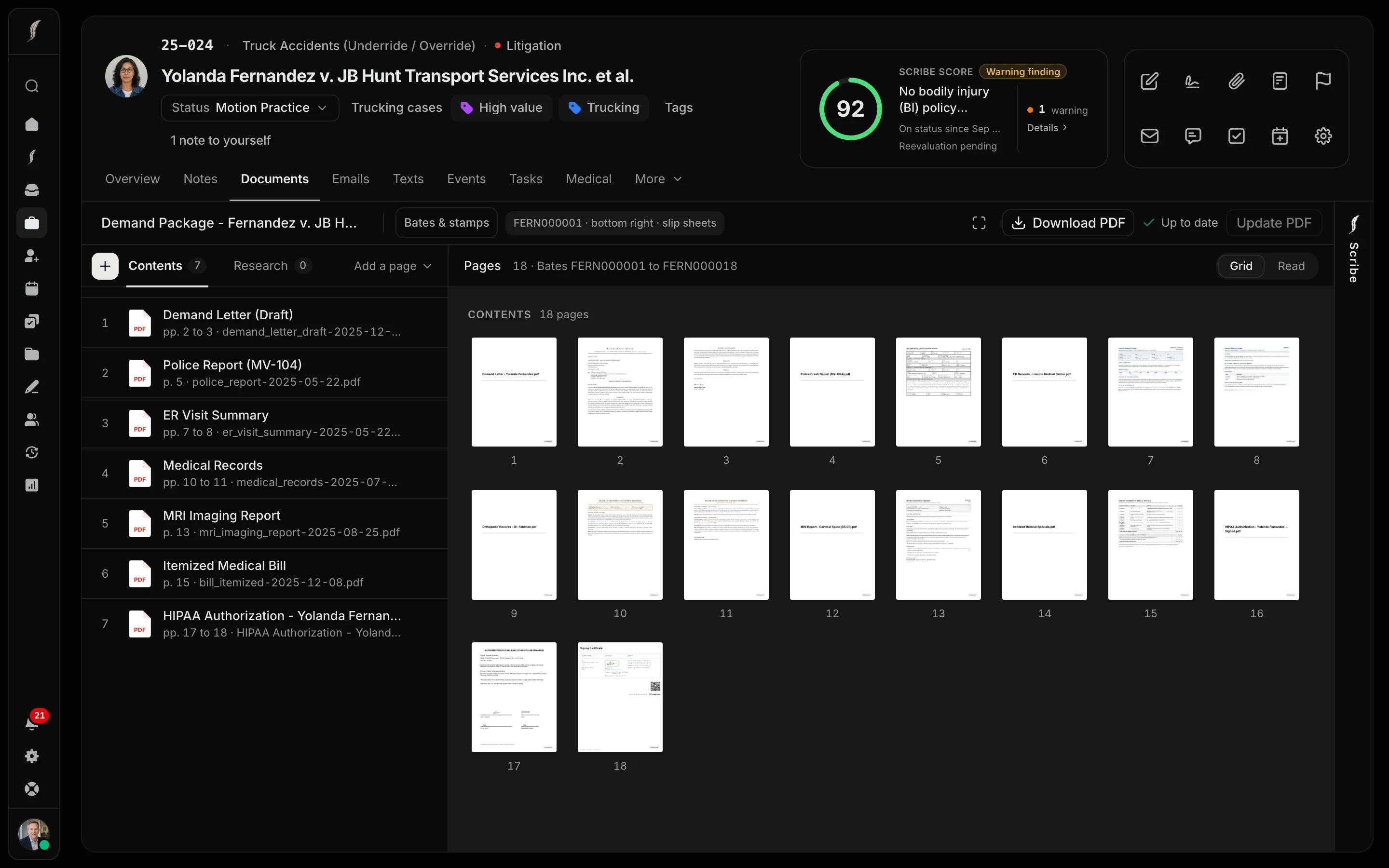
Build packets from the documents already on the case.

Most packets are stitched together from downloads, then stitched again when something changes. In JurisBuild, a packet links to the case’s documents instead of copying them. Edit or redact a record in it, and the packet shows it is out of date and rebuilds in one click, exhibit pages and Bates numbers included.

  • Demands, motions with exhibits, discovery responses, and records packets
  • Every rebuild kept in the packet’s version history
Contents (0)Research (0)
  • 1Demand Letter - Yolanda Fernandez.pdf
  • 2Police Crash Report (MV-104A).pdf
  • 3ER Records - Lincoln Medical Center.pdf
  • 4Orthopedic Records - Dr. Feldman.pdf
  • 5MRI Report - Cervical Spine (C5-C6).pdf
  • 6Itemized Medical Specials.pdf
  • 7HIPAA Authorization - Yolanda Fernandez.pdf
04

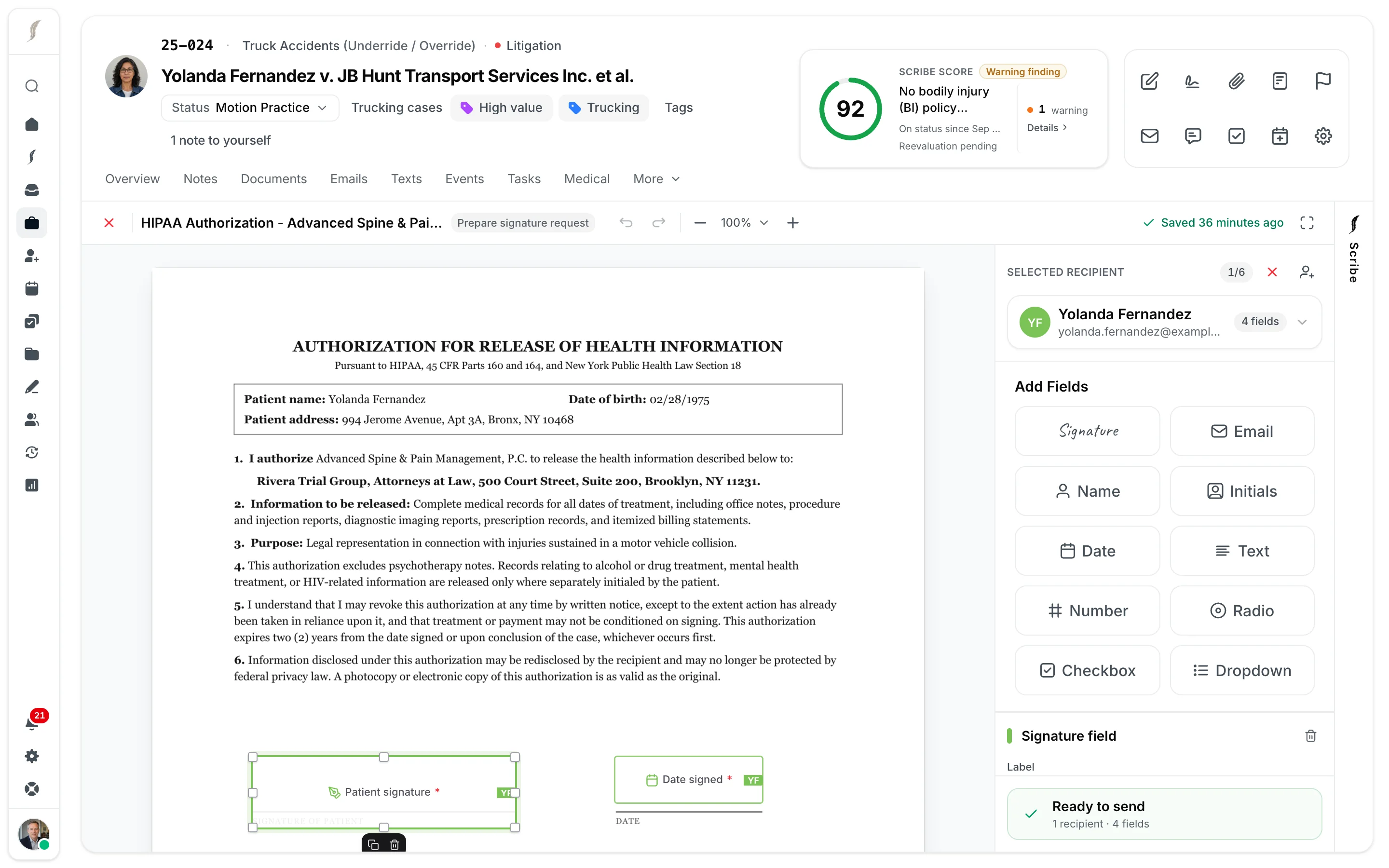
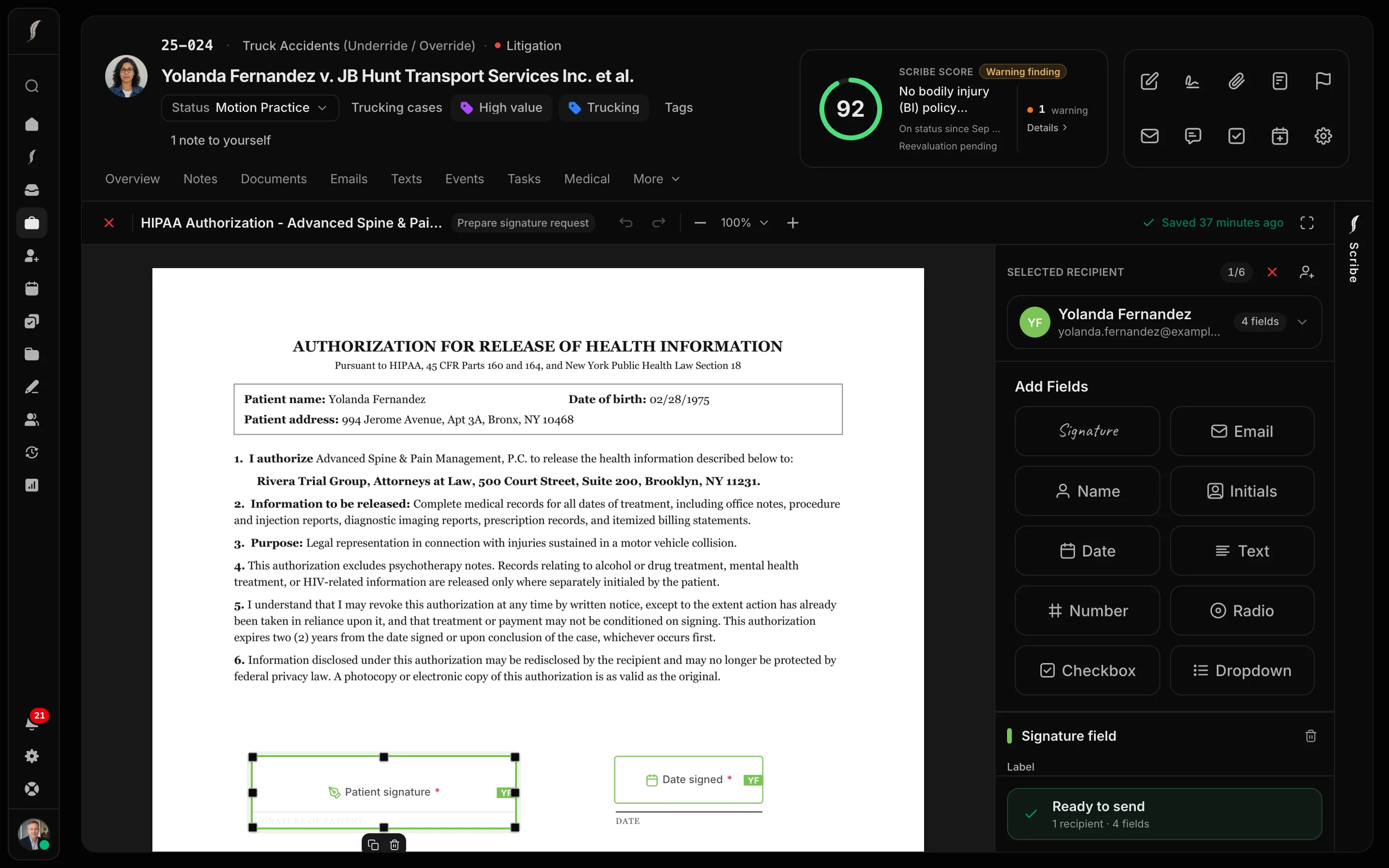
Send and track signatures from the case.

Send retainers, authorizations, and releases from the case using your own forms. Place the fields once, track status from the document list, and the signed copy files itself back to the case.

  • Field placement on your own forms
  • Executed documents return to the case automatically
Patient signature*YF

SIGNATURE OF PATIENT

Date signed*YF

DATE

Printed name*YF

PRINT NAME

Relationship*YF

RELATIONSHIP TO PATIENT

05

Court notices file to the case automatically.

JurisBuild is integrated with eLaw. For a tracked case, each court notice lands as the calendar event, the document, and a Scribe note on what changed. No one retypes a date.

  • Tracking is opt-in, case by case
  • A person confirms the date before the firm relies on it
Integrated witheLaw

Court notice · via eLaw

Kings County Supreme · 504422/2025

Received today, 9:12 AM · Abramov v. 789 Ocean Realty

Filed to the case

Calendar

Compliance conference · Wed, Oct 14, 9:30 AM · Part 52

Document

Decision and Order, Motion Seq. 002 · filed to Litigation

Scribe note

Motion to compel granted in part. Plaintiff to produce supplemental records within 30 days.

The date counts once a person at the firm confirms it. Nobody retyped it.

06

Calculate deadlines from case facts. Review and confirm the dates.

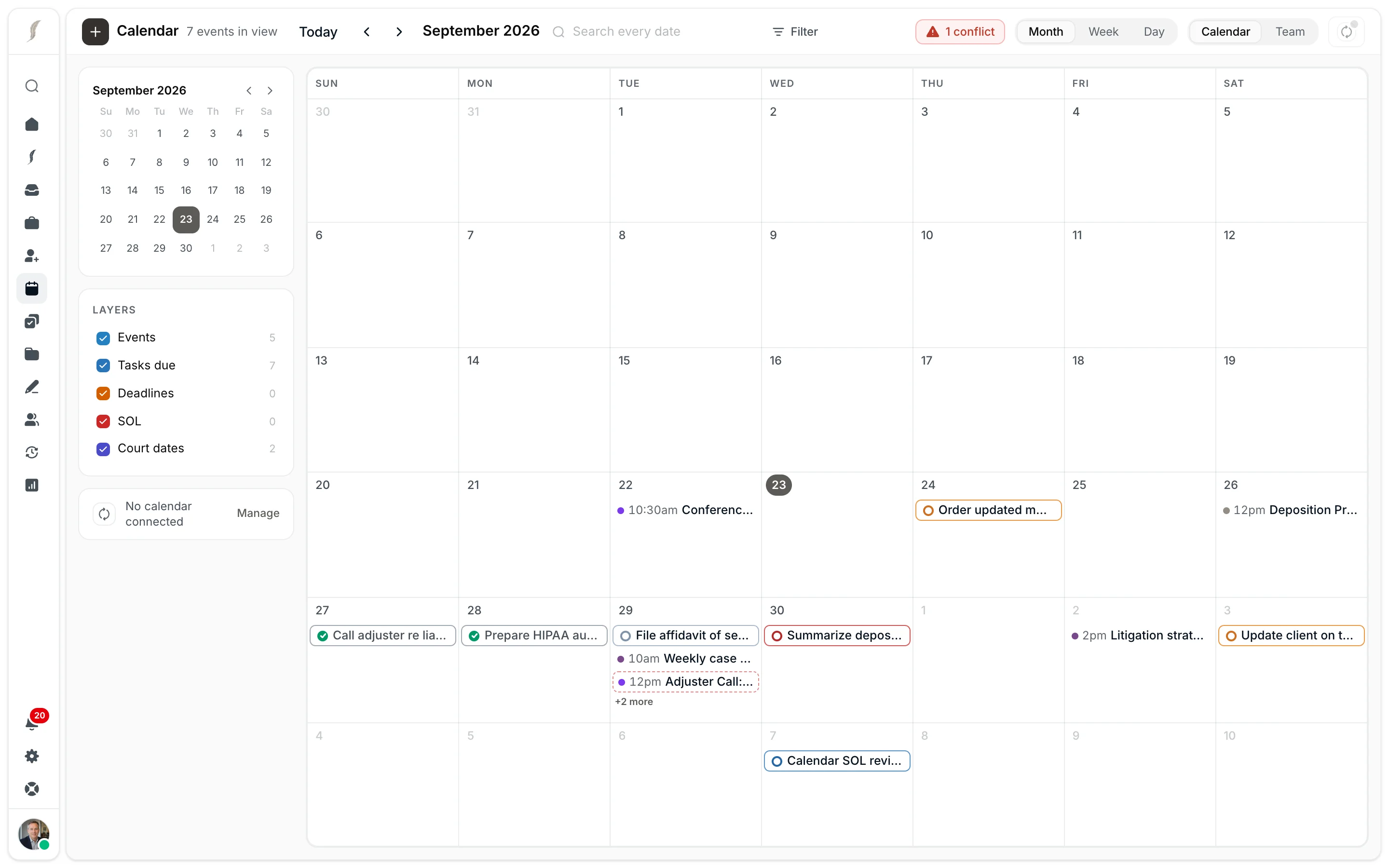
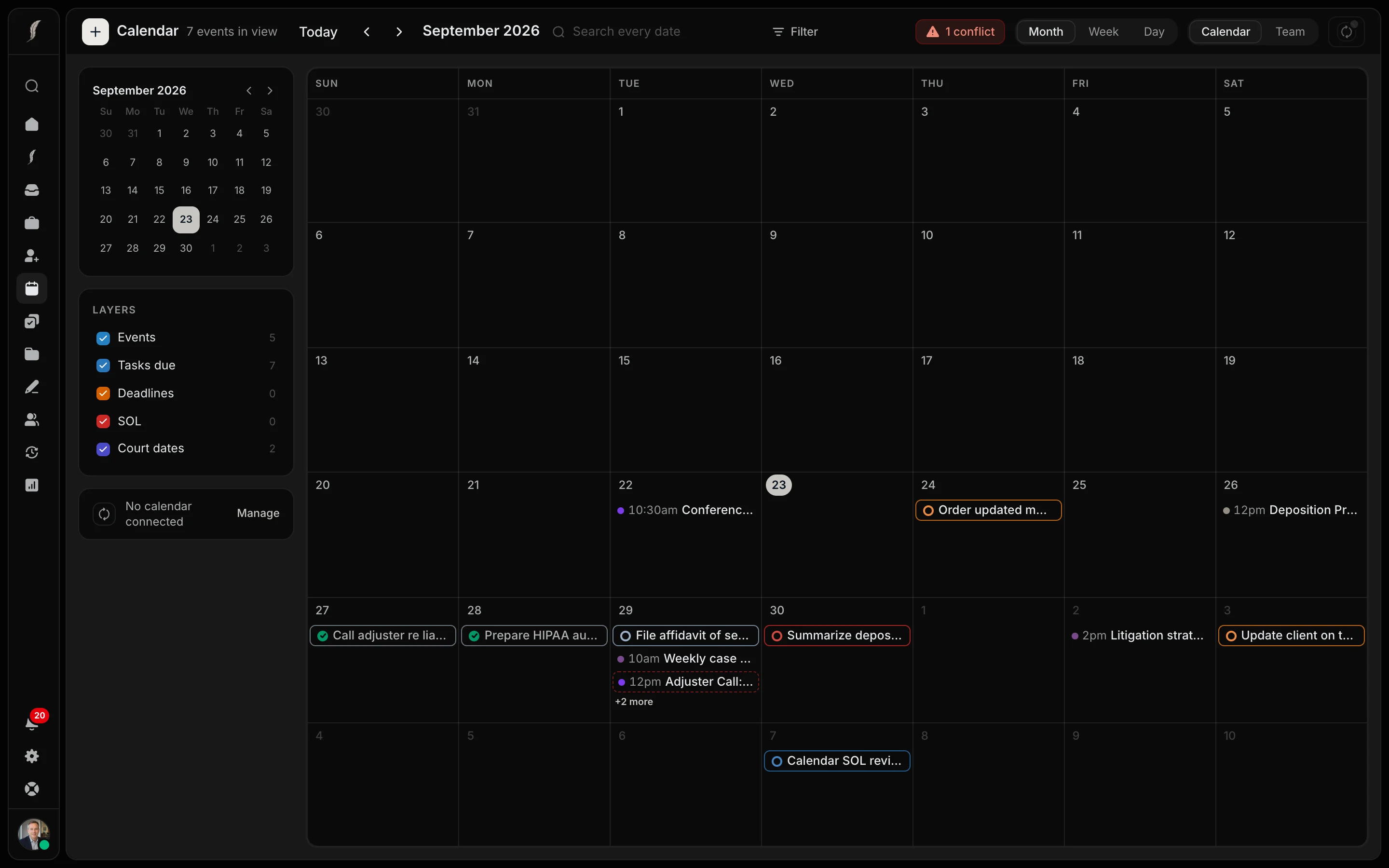
Proposed deadlines are calculated from the case facts and your firm’s rules. An attorney approves or corrects each date. The register shows what has been confirmed, and Home highlights approaching deadlines.

  • Calculated from case facts, confirmed by an attorney
  • Expired and approaching deadlines highlighted on Home
SOL and deadlines· 2
Recalculate
MAY232028

Personal injury

ComputedConfirmed · Elena Vasquez, Esq.

JB Hunt Transport Services Inc.

MAY232028

Personal injury

Confirmed

Derek Simmons

Computed from the case facts, confirmed by the attorney of record. Home flags every statute closing in, and any that has already run.

07

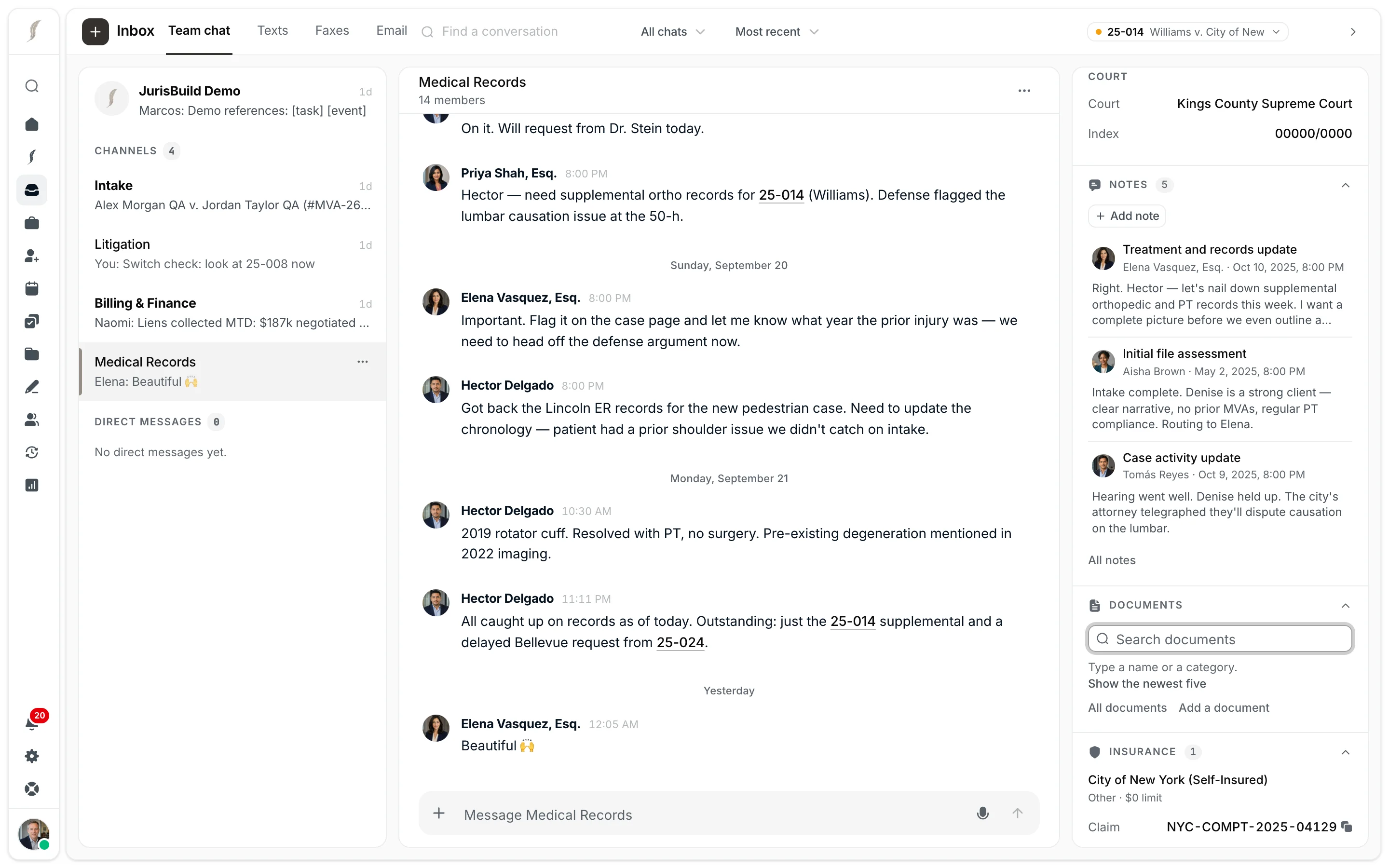
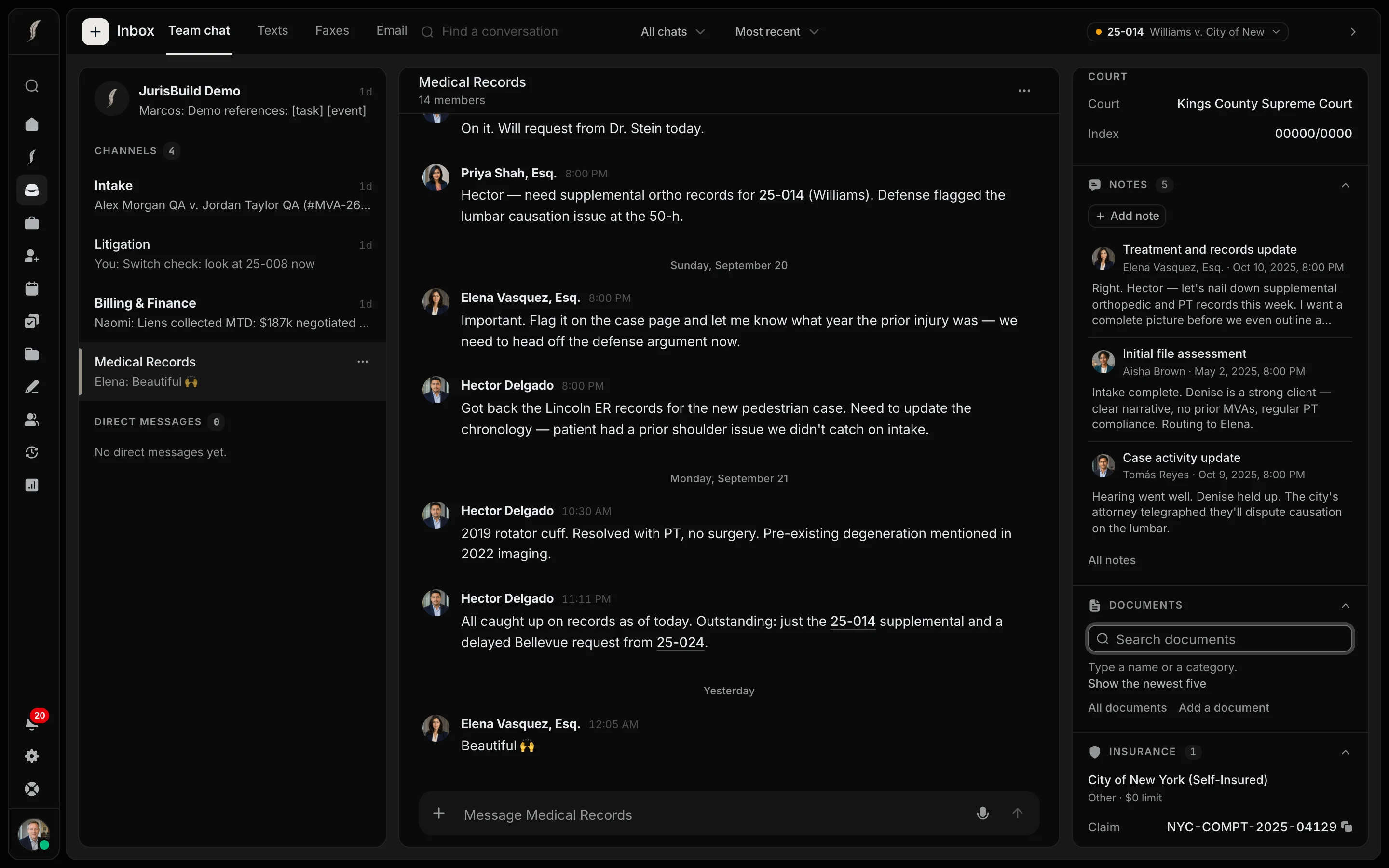
Keep communications with the case.

Text clients from the office number or your own RingCentral line, and their replies file to their case. If a client has more than one open case, you choose. Connect Microsoft 365 to email from the case as yourself and to file incoming mail, attachments included, in a click. Faxes and team chat share the same inbox.

  • Texts sent from the RingCentral app show up on the case too
  • Email you send from the case is saved to it automatically

Medical Records

14 members

25-014Williams v. City of New York

Today, September 23

Elena Vasquez, Esq.

Hector, where are we on Denise’s records for 25-014? I want her full treatment history before we file.

Hector Delgado

Harlem Hospital’s ER records and the knee MRI are in. Still waiting on Dr. Stein’s operative report.

Tomás Reyes

At the 50-h, the City asked about a 2019 knee sprain. I noted it on the case so we get those records too.

Elena is typing…
Message Medical Records

Built for the details of the practice.

Intake to case

Convert leads into cases with the information your team has already gathered.

Built-in document editing

Draft and edit DOCX files in JurisBuild’s own editor, and work with PDFs alongside the case.

Demand packets

Order exhibits, apply labels and Bates numbers, and rebuild packets as documents change.

E-signatures

Prepare your forms for signature, send them from the case, and track their status.

Deadlines and court notices

Review computed deadlines and notices on tracked cases. Your firm confirms the controlling dates.

Reports

Build views of the case data your team needs, with filters, sharing, and schedules.

Connected to your work

Keep the tools that work for you.

Explore AI connectors
Microsoft 365
Read your Outlook email in JurisBuild, file it to cases, and send from the case as yourself. Your JurisBuild events appear on your Outlook calendar.
Google Calendar
See your Google events beside your JurisBuild calendar, and send JurisBuild events to Google, with Meet links for meetings.
RingCentral
Keep your RingCentral numbers. Text clients and send faxes from JurisBuild, and texts sent from the RingCentral app show up on the case.
eLaw
Bring court notices into tracked cases, with dates for your team to review.
Claude and ChatGPT
Connect your case workspace to the assistant you use.
Your existing documents
Open and edit DOCX files in JurisBuild’s built-in editor, right alongside the case.